Designed for the TRAILBLAZER LifeCard®
made in Tennessee
Accessories Mounting Instructions
Always make sure the firearm you are mounting to or dismounting accessories from is UNLOADED before you start.
Magnetic Sights
The magnetic mount sights are not intended for self-defense situations. The main design is to give a better sight picture and to assist with target acquisition at a range of 25 yards.
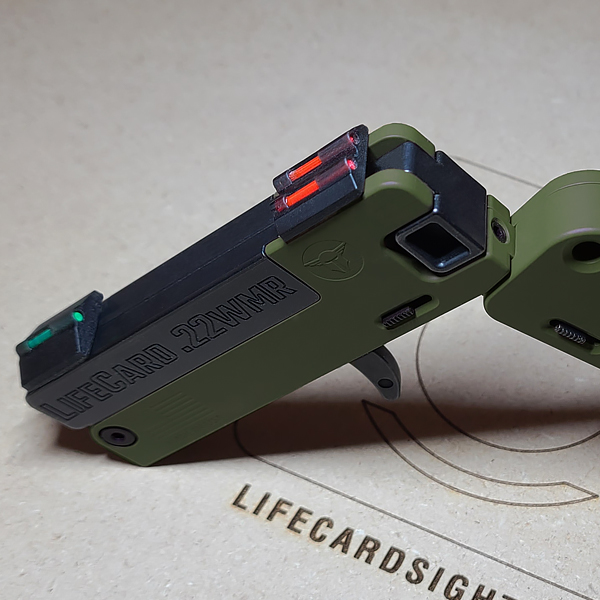
The magnetic mounting sights are designed for the 22lr model, but they can be used on the 22 Mag model with an adjustment to the front sight. Be sure that the front sight is back away from the muzzle of the barrel approximately 7/16 of an inch. This will help protect it from the muzzle blast of a 22-magnum round.
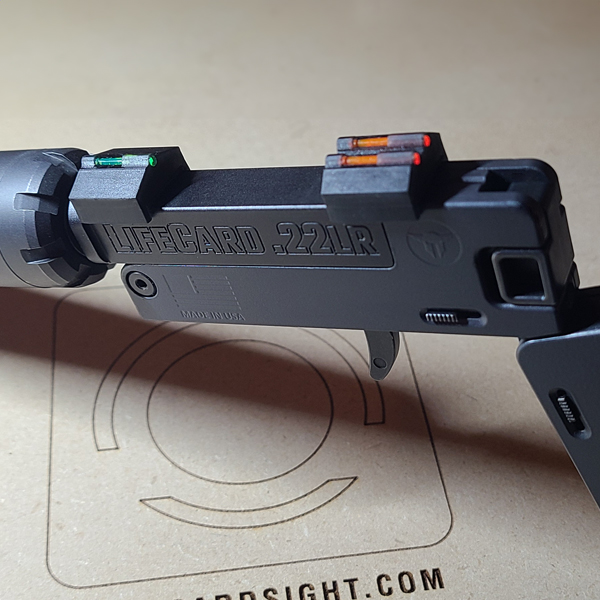
15A/15A Mag & 25A (LC5) Adhesive Sights
-
- Make sure the pistol is unloaded and the barrel is not cold when mounting the set of sights.
- First, line up both ends of the fiber optic rod of the front sight with the barrel groove to ensure it is centered.
- Press firmly against the sight to help seat the adhesive to the barrel. Check to ensure the sight is still centered with the barrel groove. If not centered quickly adjust the sight as needed.
- Next line up both ends of the groove between the two fiber optic rods of the rear sight with the barrel groove.
- Press firmly against the sight to help seat the adhesive to the barrel. Check to ensure the sight is still centered with the barrel groove. If not centered quickly adjust the sight as needed.
- NOTE: The rear sight can be mounted behind the barrel.
- Let the adhesive adhere for 24 hours before shooting the firearm.
Watch the video for directions for mounting the Variable-position Rear Sight.
Picatinny Rail
Mounting the Picatinny Rail
- Peel off the film from the adhesive on the bottom.
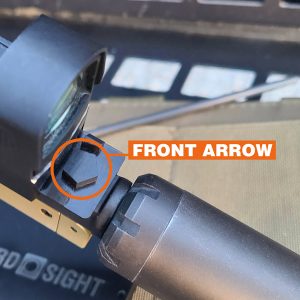
- Place the rail on the barrel of your LifeCard® pistol with the [ARROW] on top pointing to the muzzle of the barrel.
- Make sure the back edge of the rail does not lay beyond the back edge of the barrel. View side of pistol to line up edges.
- Press down on the rail firmly against the pistol barrel.
The adhesive takes up to 72 hours to fully adhere. For the best adhesion do not fire the firearm until 72 hours has passed.
Mounting your Micro Dot
- Mount your micro dot to its base mount.
- Place the base mount for your micro dot on the picatinny rail.
- Make sure the front of the micro dot is back from the muzzle enough to avoid the muzzle blast and causing damaging your micro sot sight.
- Tighten the mount screws or quick release bar until the mount is firmly secure to the picatinny rail. Do not over tighten.
- Sight in your micro dot at 25 yards.
Removing the Picatinny Rail
-
- Remove you micro dot and mount from the picatinny rail.
- To remove the picatinny rail push gently against one side with both thumbs. (see video above).
- Once you see the rail moving away from the rail on that side, push gently on the opposite side thein the same manner.
- Continue to push gently swapping sides until the rail is fully removed.
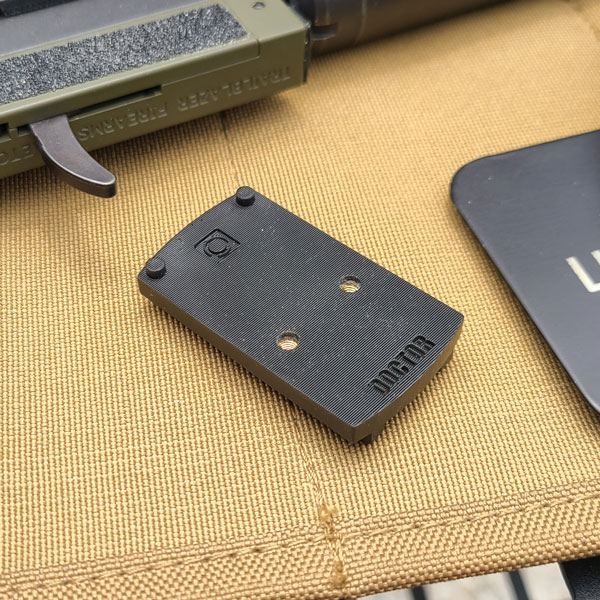
MD Mounts (Micro Dot Footprints)
- Make sure the pistol is unloaded
- Remove the adhesive cover from the bottom of the footprint.
- Place the footprint with the back bottom edge near the rear of the chamber end of barrel but not beyond the end.
- Press firmly so the adhesive is evenly seated.
- Allow 72 hours before mounting a micro red dot and before shooting the pistol for the adhesive to adhere properly.
- Mount your optic using a set of the supplied screws that fits the height needed for your optic. (Use only purple thread locker on mounting screws)
- Tighten mounting screws until they stop. (Do not over tighten)
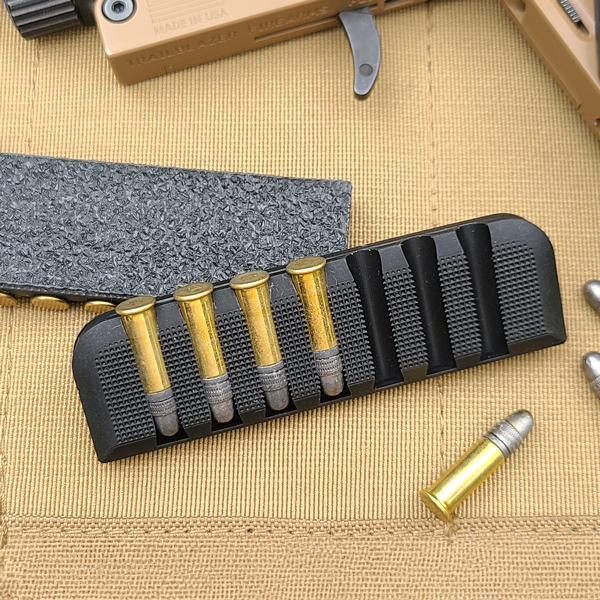
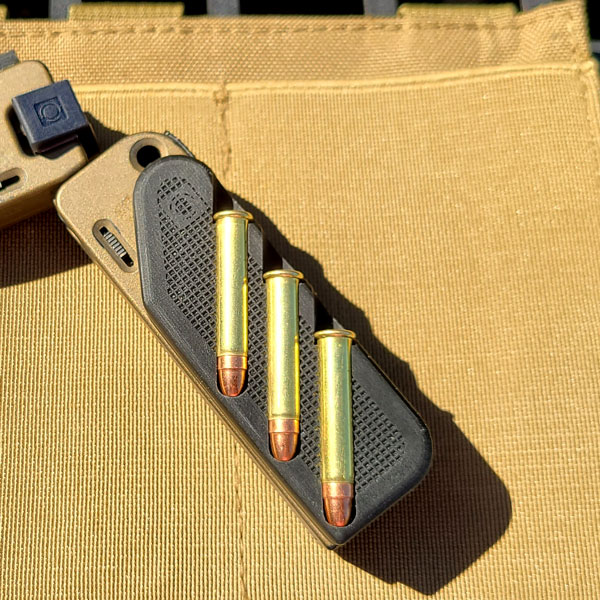
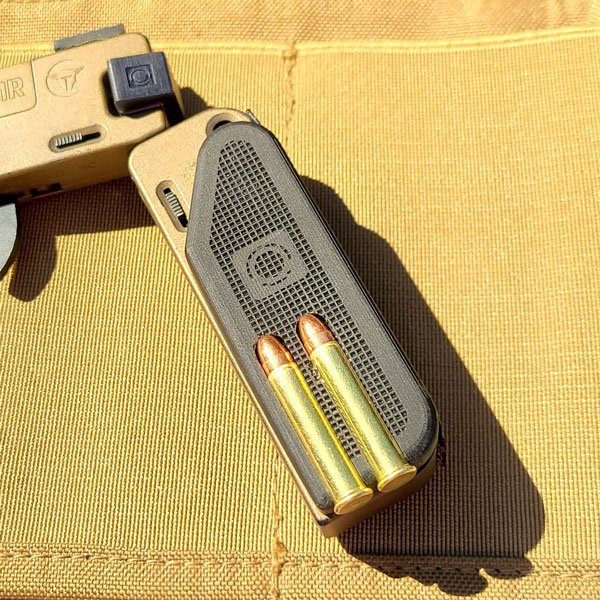
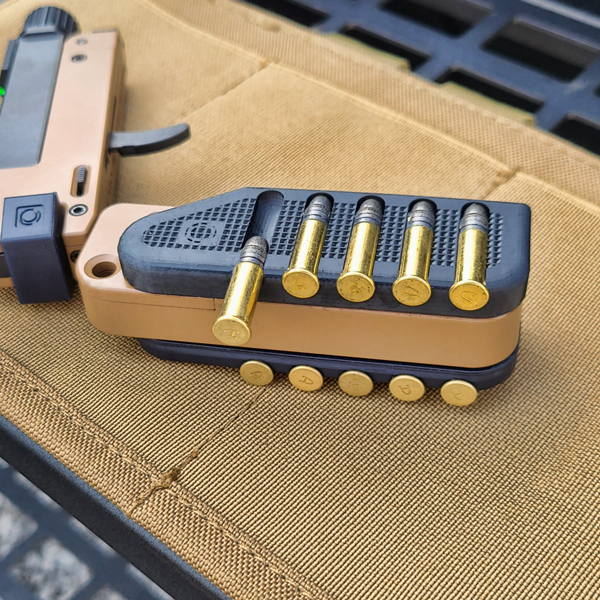
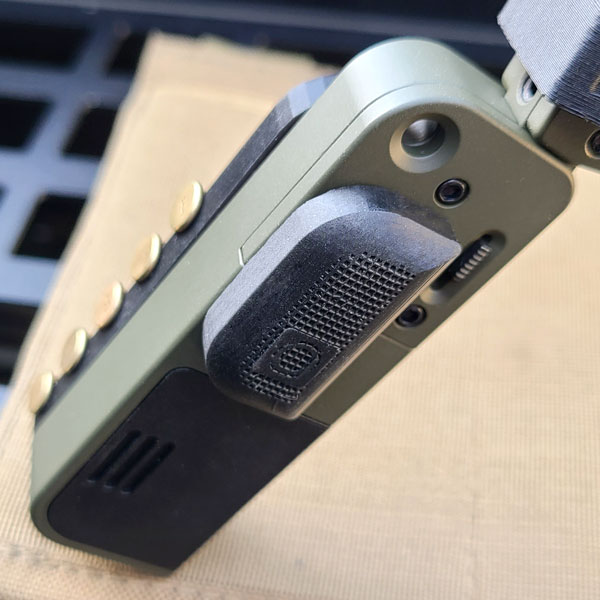
Half Scale & Micro Scale Grips
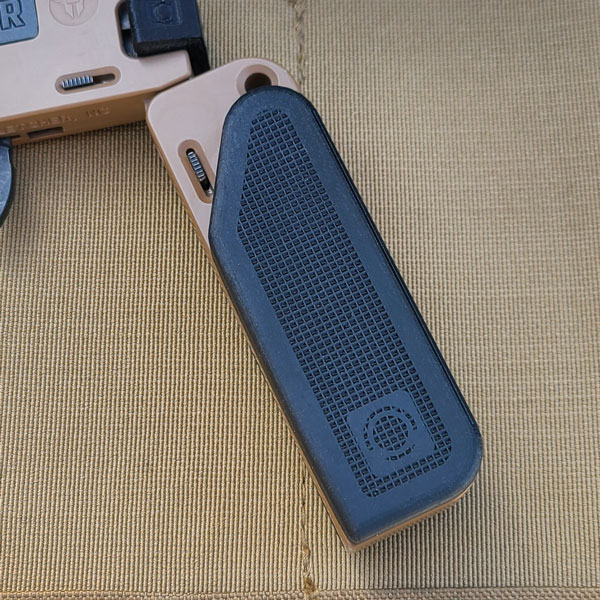
Mounting the Half Scale
- Peel off the film from the adhesive on the back.
- Line up the back edge of the Half Scale with the back and the bottom edges with the back and bottom edges of the pistol grip.
- Press the Half Scale firmly against the pistol grip.
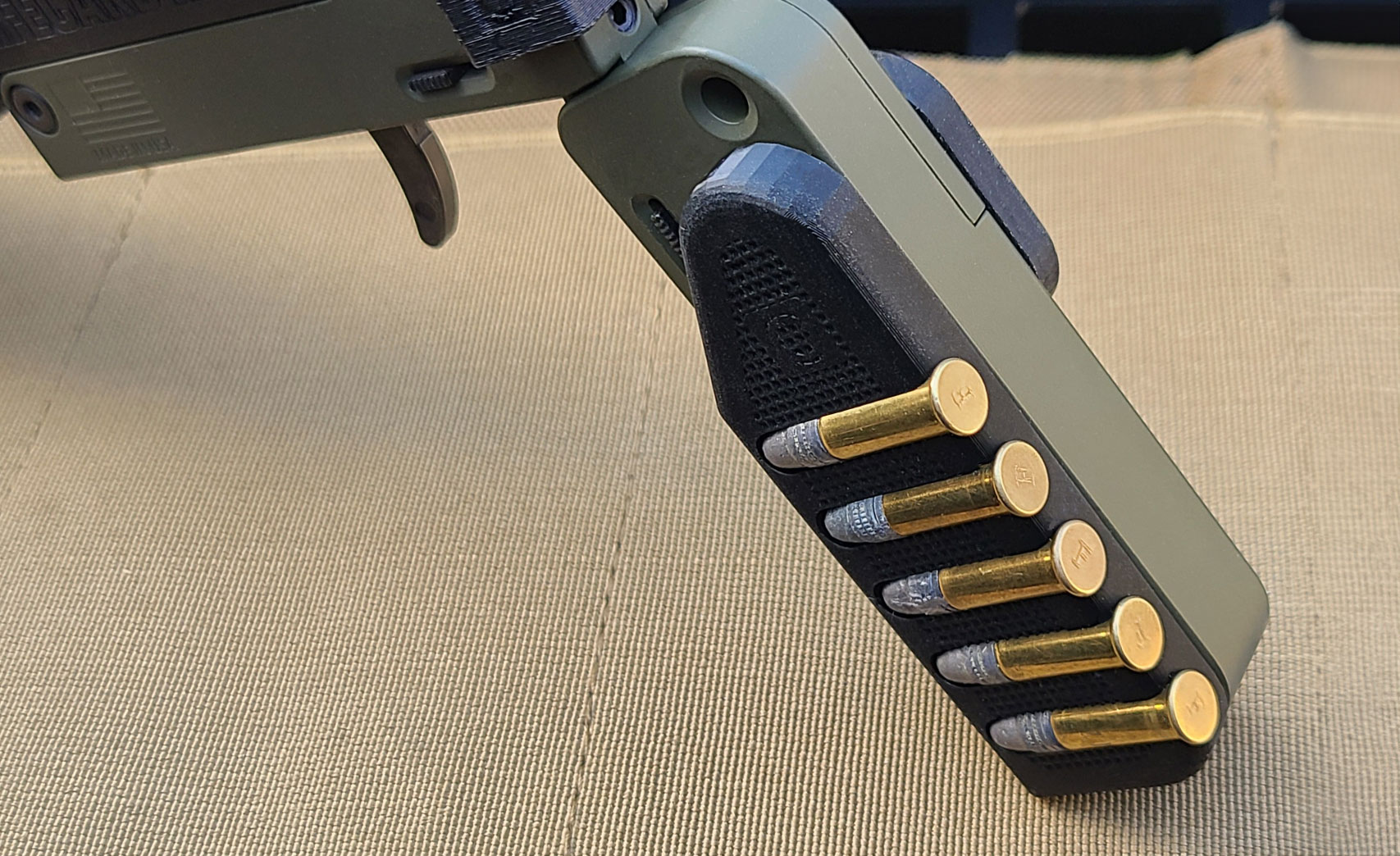
- The slots are designed to fit snug for the many different ammo companies. If the ammo is tight the first time inserted, remove and insert again several times to loosen the slots. Amount of times can vary.
You can use the Half Scale immediately after mounting. The adhesive takes up to 72 hours to fully adhere.
Removing the Half Scale
-
- To remove, push gently against the Half Scale between the bottom edge at the larger round corner close to the logo.
- Work your way along the edge to the top end of the Half Scale.
- Once removed be sure to rub against the pistol grip to remove any adhesive left behind.
The Half Scale A5, A5r, M3, and M3R are designed that you slide the ammo in to load and slide the ammo out to retrieve. Do not pull out from the side.
Mounting the Micro Scale
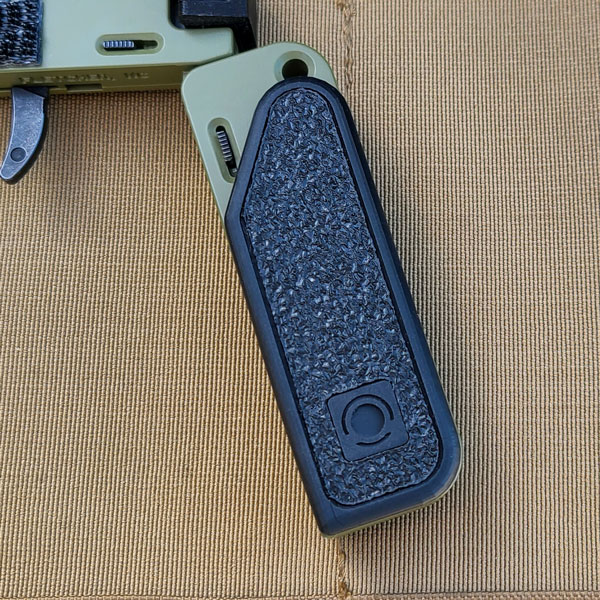
- Peel off the film from the adhesive on the back.
- Align the Micro Scale so that it is below the lanyard hole of the the pistol grip and the back edge is aligned with back edge of your LifeCard® pistol grip.
- Press the Micro Scale firmly against the pistol grip.
You use the Micro Scale immediately after mounting. The adhesive takes up to 72 hours to fully adhere.
Removing the Micro Scale
- To remove, push gently against the Micro Scale between the top edge at the larger round corner and the pistol grip.
- Work your way along the edge to the bottom end of the Micro Scale.
- Once removed be sure to rub against the pistol grip to remove any adhesive left behind.
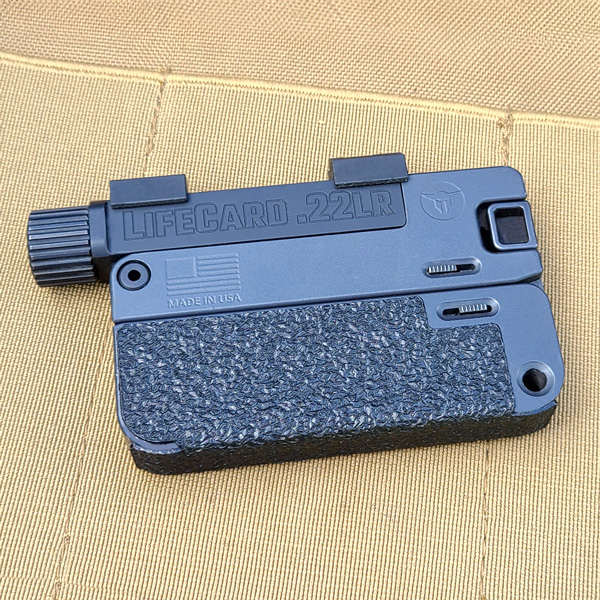
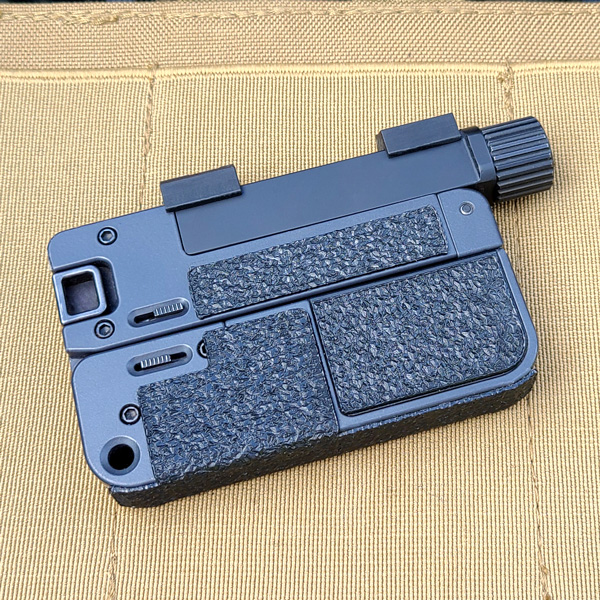
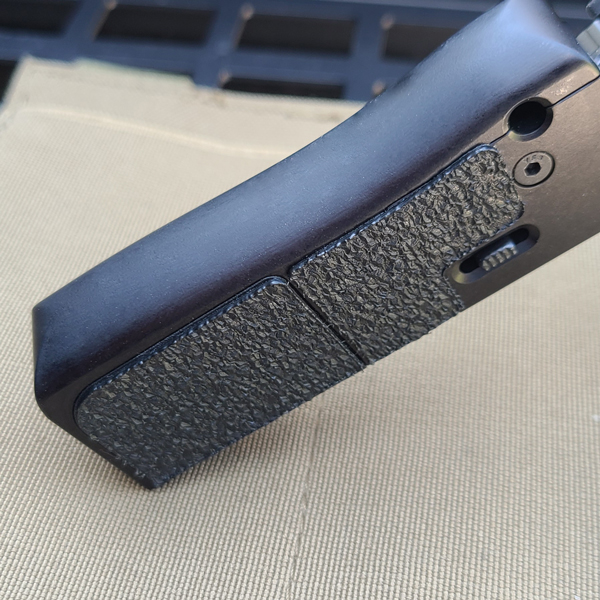
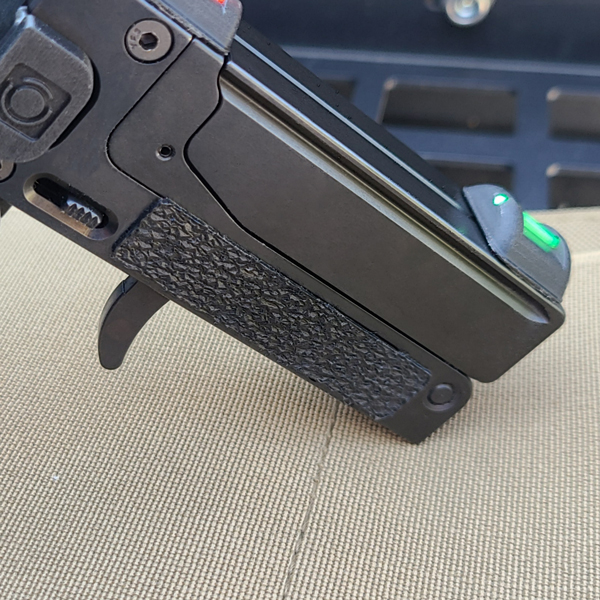
LCS Grip Tape
- Peel off the film from the adhesive on the back.
- Align the center of the Grip Tape with the back edge of your LifeCard® pistol grip.
- Press firmly from top to bottom.
- Next lay the left side over and while pressing firmly against the tape, rub your finger across it to mount it to the side.
- Do the same for the right side for the top section.
- Now place the ammo storage cover section on top of the ammo storage lid and press firmly while rubbing your finger around the section.
- Next place the index finger section in front of the lock tab out to where your index finger will make the most contact.
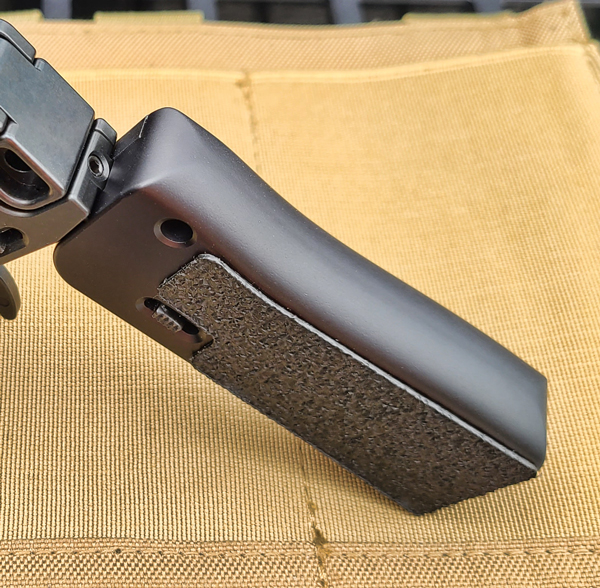
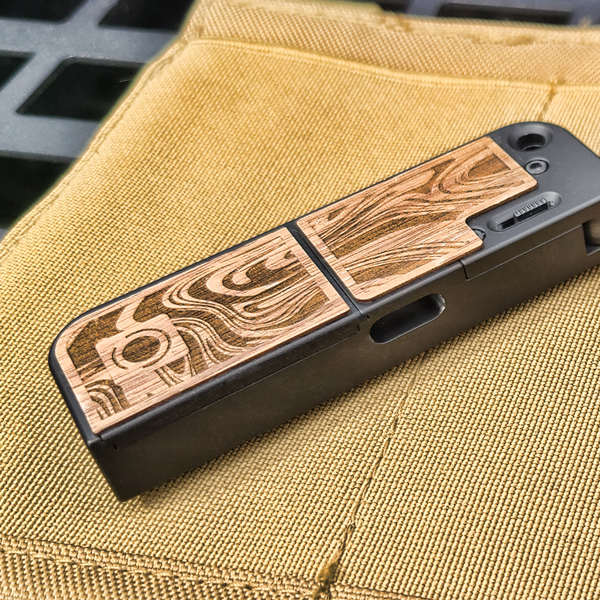
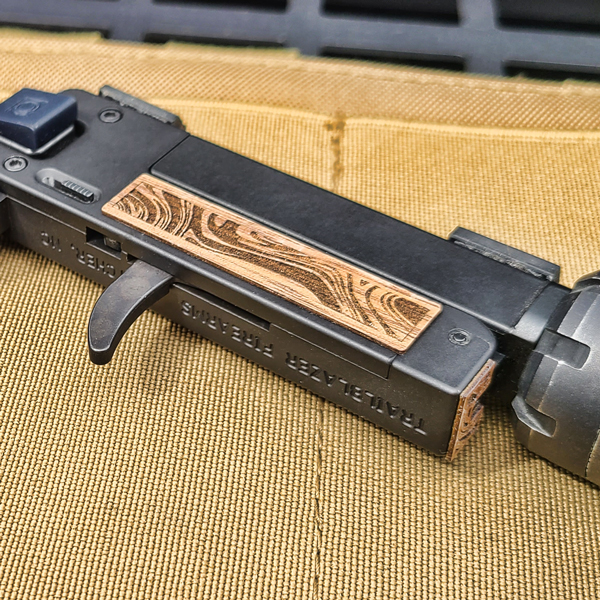
LCS Grip Veneer (Walnut)
- Peel off the film from the adhesive on the back.
- Align the center of the Grip Veneer with the back edge of your LifeCard® pistol grip.
- Press firmly from top to bottom.
- Next lay the left side over and while pressing firmly against the tape, rub your finger across it to mount it to the side.
- Do the same for the right side for the top section.
- Now place the ammo storage cover section on top of the ammo storage lid and press firmly while rubbing your finger around the section.
- Next place the index finger sections in front of the lock tab out to where your index finger will make the most contact. (One for each side)
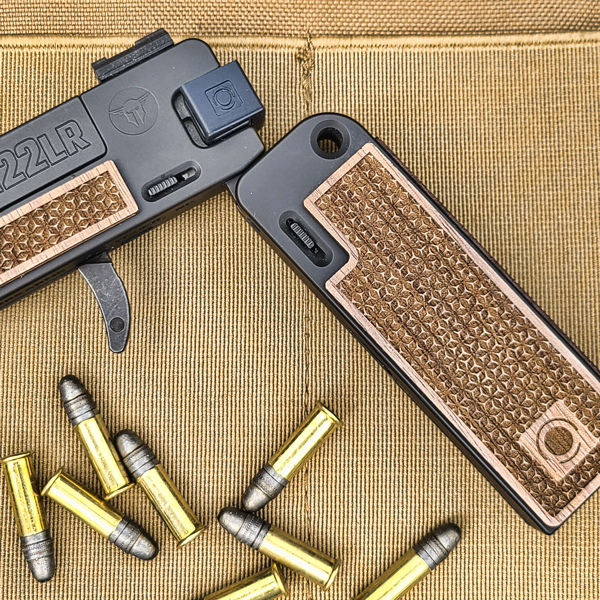
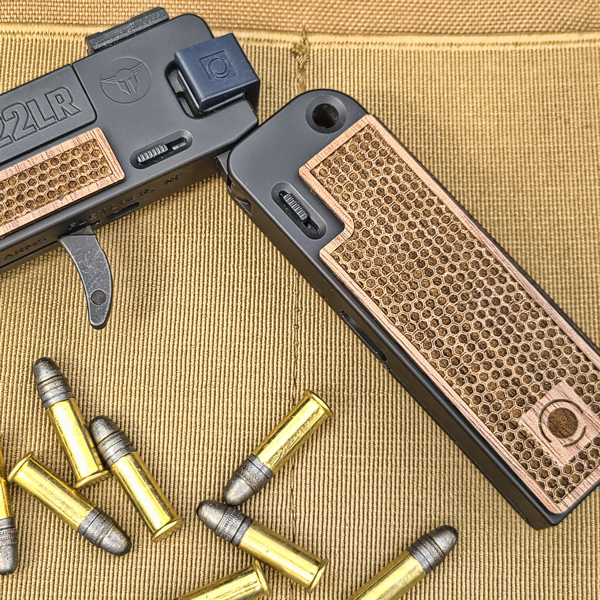
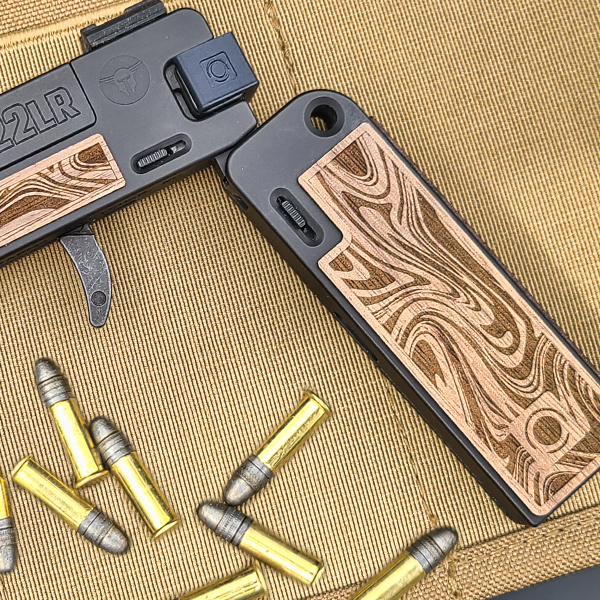
Belt/Pocket Clip
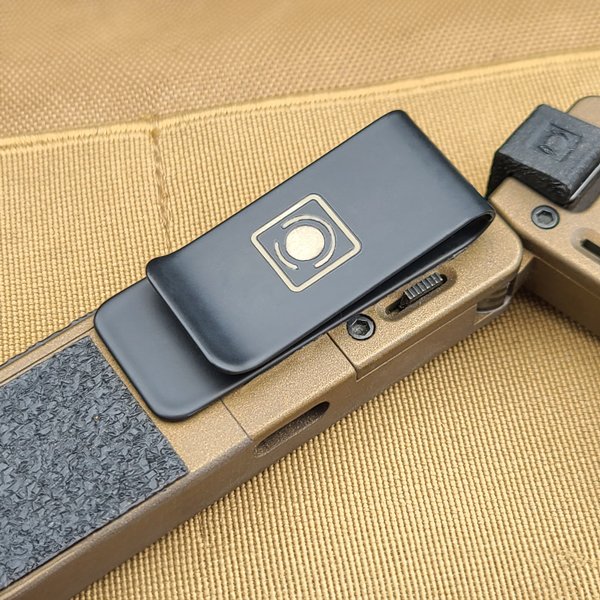
Mounting the Belt/Pocket Clip
- Peel off the film from the adhesive on the back.
- Align the Pocket Clip with the back edge of your LifeCard® pistol grip not to cover the small unfold/fold slide.
- Be sure to place the top of the Pocket Clip so that it fits the way you want to carry it in your pocket for ease of draw.
- Once in the place you prefer, press the Pocket Clip firmly against the pistol grip.
You use the Half Scale immediately after mounting. The adhesive takes up to 72 hours to fully adhere.
Removing the Belt/Pocket Clip
-
- To remove, push gently against the top rounded edge of the Pocket Clip and between the top of the pistol grip.
- Work your way along the edge to the bottom end of the Pocket Clip.
- Once removed be sure to rub against the pistol grip to remove any adhesive left behind.
Quick Light Mount
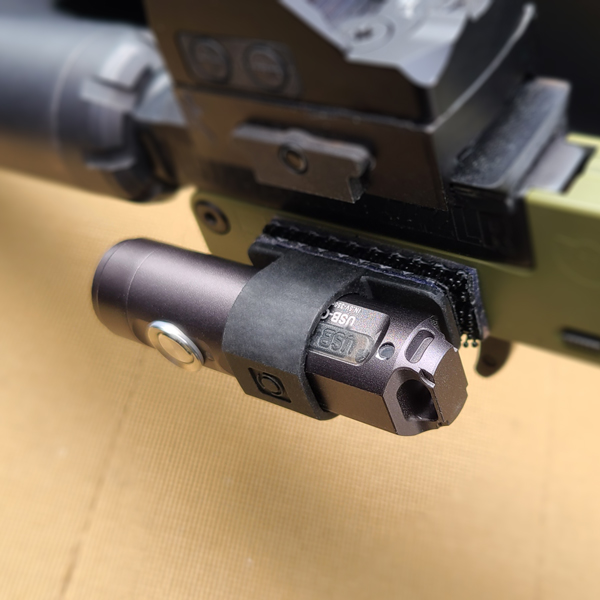
Mounting the QLM
- Remove the adhesive cover from the loose dual lock fastener.
- Press to the side of the pistol you prefer, under the barrel.
- Slide the back of the RovyVon® light into the QLM ring.
- Press the bottom of the QLM to the pistol connecting the two duel lock fasteners.
Removing the QLM
- With the light in the QLM ring, place your thumb on the top and index finger on the bottom of the QLM ring.
- With a slight pull the light will unlock from the fastener on the pistol.
- Peel back the duel lock fastener on the pistol at one end. Try not to touch the adhesive if you plan to move it to the other side or another pistol.
Designed for the RovyVon A1 Gen3 and A3 Gen 4 pocket falshlights. Not for use with the RovyVon A3 Gen 4 PRO light.
Nano Charger
Mounting the Nano Charger
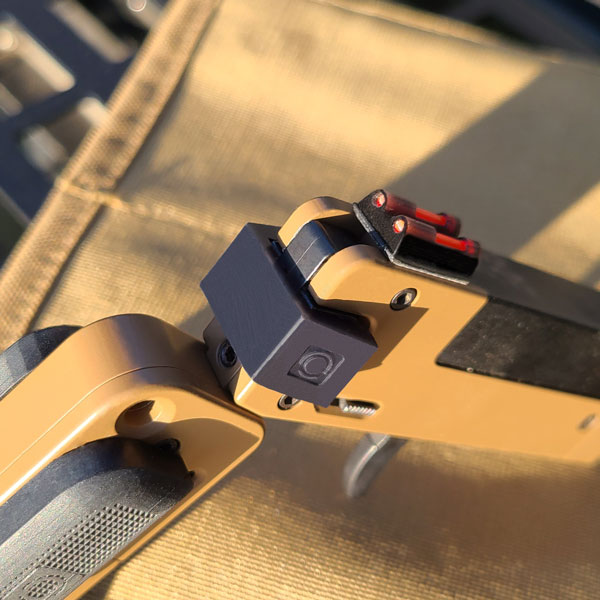
- Place Nano Charger against charging handle.
- Press one side of the Nano Charger halfway onto the charging handle.
- Press the other side until both click into place.
- Press inward on both sides to seat the Nano Charger.
- Have fun shooting.
Removing the Nano Charger
- Pry gently one one side to remove.
65T Charger
Mounting the 65T Charger
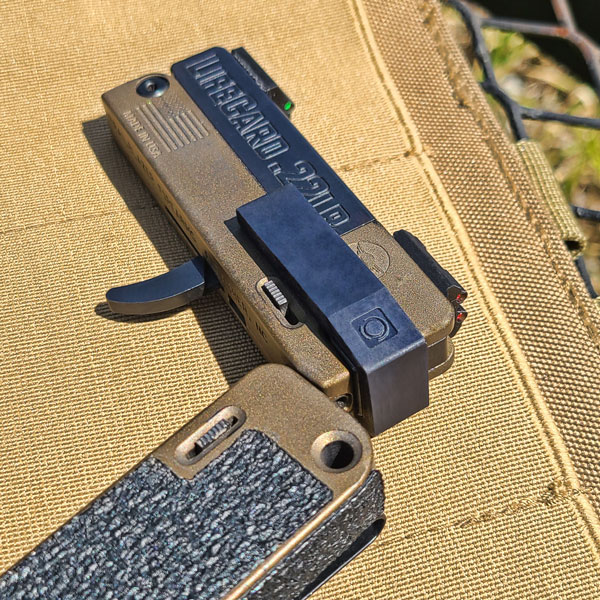
- Place the male part of the Pico Charger in the charging handle on the right side and thru the hole inside the charging handle.
- Place the female of the Pico Charger in the charging handle on the left side and thru the hole inside the charging handle.
- Gently press the two pieces together until each stops against the charging handle. (This is a press fit)
- When charging the firearm, press your thumb against the top edge of the end and push backward while sliding it against the side of the firearm.
DO NOT push the 65T Charger in a way that it comes out away from the side of the firearm while charging your LifeCard®.
Removing the 65T Chager
- Pry gently the right side to remove.
Pico Charger (LC5)
Mounting the Pico Charger
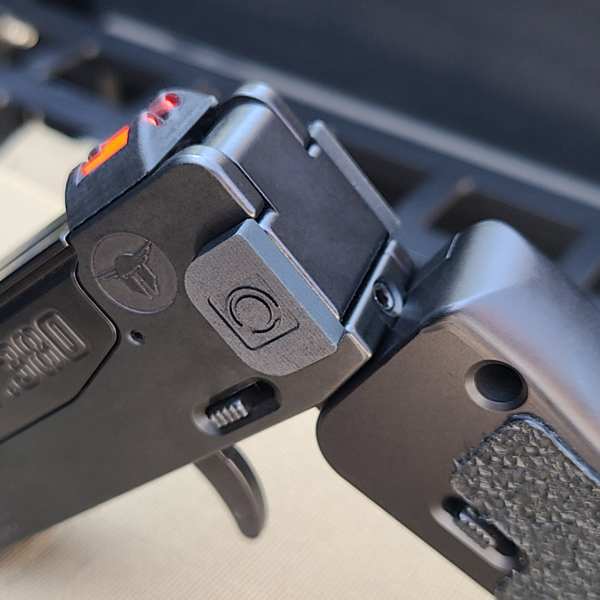
- Place the male part of the Pico Charger in the charging handle on the right side and thru the hole inside the charging handle.
- Place the female of the Pico Charger in the charging handle on the left side and thru the hole inside the charging handle.
- Gently press the two pieces together until each stops against the charging handle. (This is a press fit)
- When charging the firearm, press your thumb against the top edge of the end and push backward while sliding it against the side of the firearm.
DO NOT push the 65T Charger in a way that it comes out away from the side of the firearm while charging your LifeCard®..
Removing the Pico Charger
- Pry gently work out the left side piece first to remove the Pico Charger.
Cordonnet Brace
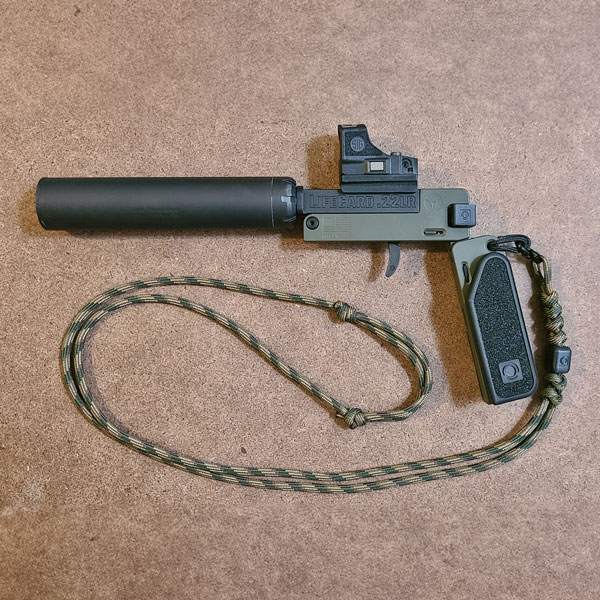
Attaching and Adjusting the Cordonnet Brace
- Make sure your LifeCard is unloaded before attaching and adjusting the Cordonnet Brace
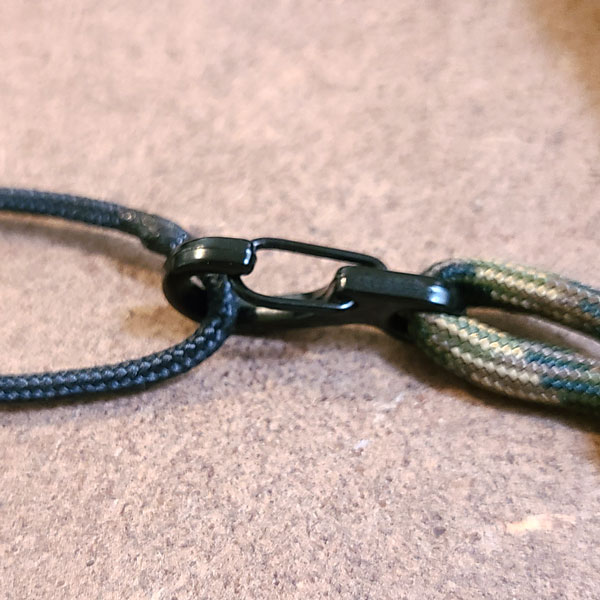
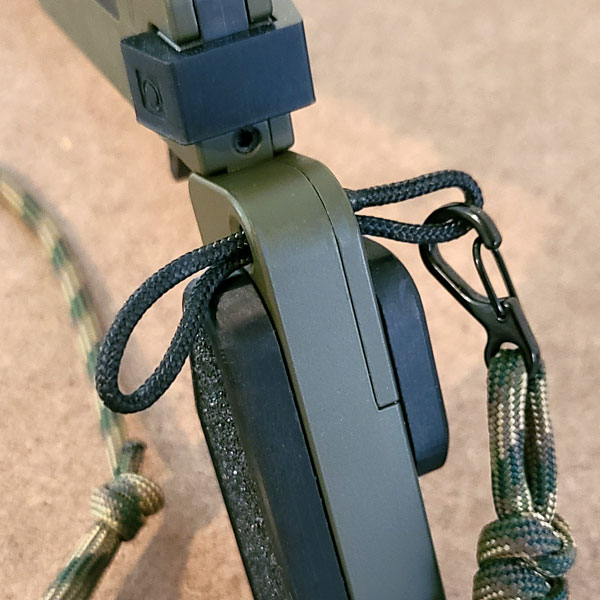
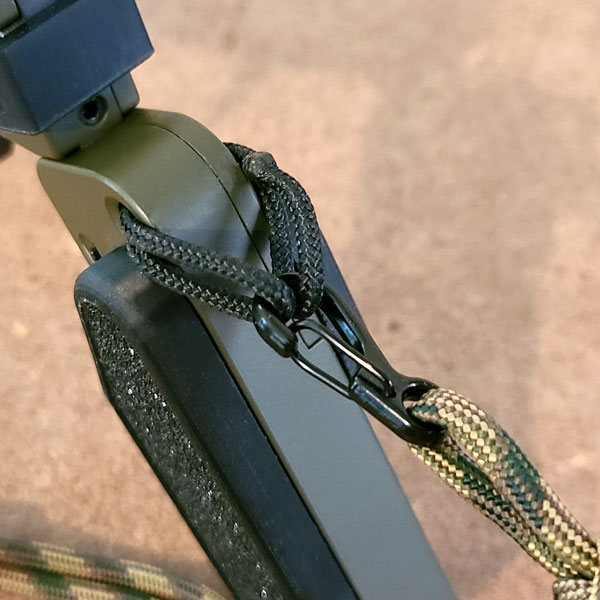
- Slide 3/32 tactical loop that is attached to the mini carabiner through the lanyard hole of the grip
- Connect the loop back into the mini carabiner so that the loop is connected from both side of the grip
- Place your arm and head through the Cordonnet Brace
- Push outward on the LifeCard® as if to shoot
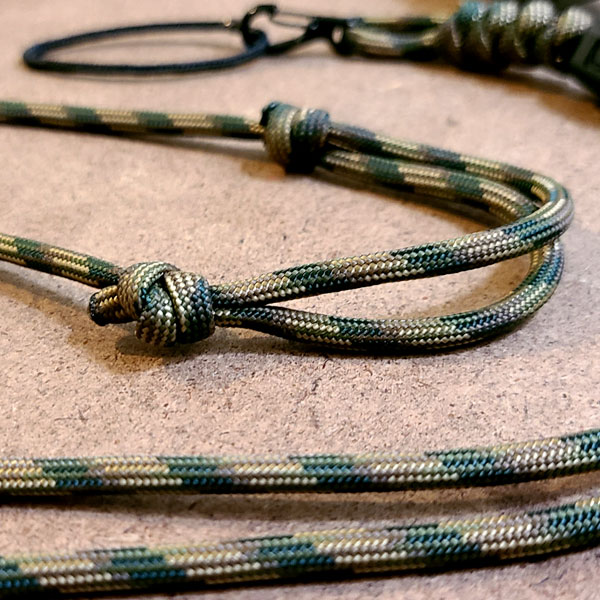
- Adjust both slip knots in the back to the adjust the length
- Push outward again to check the length. (Adjust the slip knots as needed until desired draw length is achieved)
- Once the brace is to your desired length, pull both slip knots at the same time away from one another to set the knots.
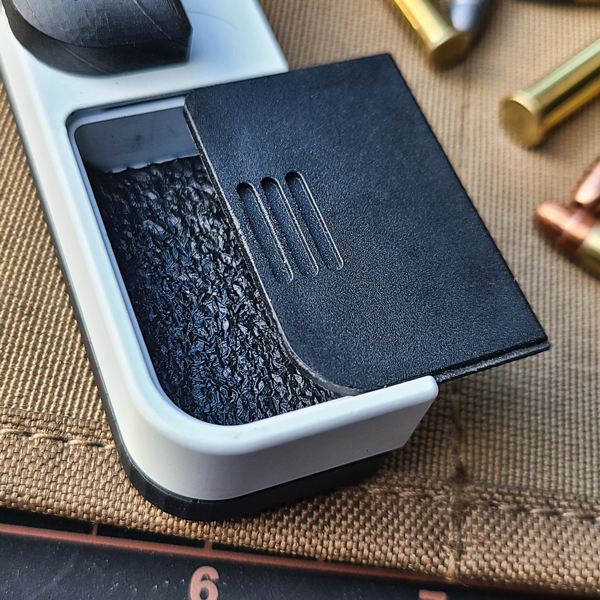
Ammo Tray Pad (ATP22)
Mounting the Ammo Tray Pad
- Peel off the film from the adhesive on the back.
- Slide the flat edge into the ammo tray with the larger curved corner matching with the bottom large corner of the ammo compartment
- Once the whole pad is inside the storage compartment press down on the ATP with a small blunt object like the eraser on a pensile.
Ammo Tray Pad (ATP380)
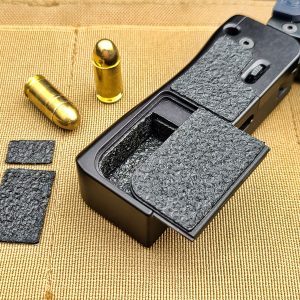
Mounting the ATP380
- Start with the bottom pad by peeling off the adhesive film on the back.
- Slide the flat edge into the ammo tray with the larger curved corner matching with the bottom large corner of the ammo compartment
- Once the whole pad is inside the storage compartment press down on the ATP with a small blunt object like the eraser on a pensile.
- Next peel the adhesive film from the back of the long wall pad.
- Start by sliding the edge of the pad into the ammo tray at the bottom of the grip.
- Push it in until it stops against the front of the grip.
- Make sure to press it into the rounded corner until the opposite end of the pad is inside the ammo tray at the top.
- Press it against the bottom and long walls starting at the rounded corner with something like the end of a small flat screwdriver or knife blade.
- Now peel the adhesive film from the short wall pad and slide it into the top end of the ammo tray.
- Once it stops press it against the top wall with something like the end of a small flat screwdriver or knife blade.
A7 Pocket Scale
Filling and Removing the A7 Pocket Scale
- Place a round in each slot (22LR only) (Not designed for 22 Magnum)
- If the rounds fit tight give a slight bend to the scale and the ammo will go in or out easier.
- The slots are designed to fit snug for the many different ammo companies. If the ammo is tight the first time inserted, remove and insert again several times to loosen the slots. Amount of times can vary.
The Half Scale A5, A5r, M3, and M3R are designed that you slide the ammo in to load and slide the ammo out out to retrieve. Do not pull out from the side.